
Ad code, PHP and rotation
The Content tab of a campaign holds the code of your ads. It accepts HTML, CSS, JavaScript and, if you switch it on, PHP.
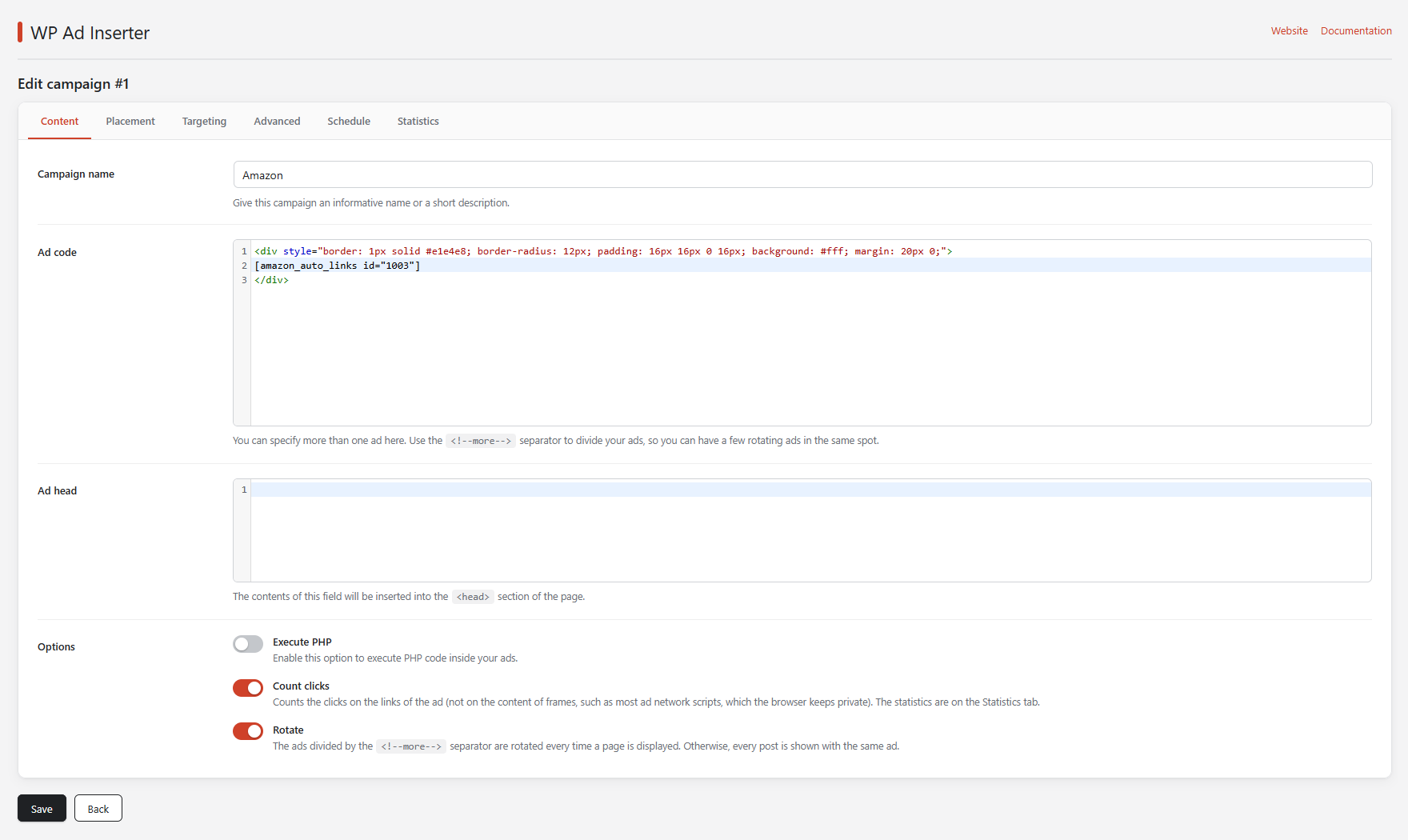
Campaign name
An informative name or a short description. It is shown in the list of campaigns so you can recognize the campaign. The default is “ad campaign (please give me a name)”.
Ad code
Paste the code you got from your ad network or affiliate program. The field is a code editor with syntax highlighting. The same campaign may hold any number of different ads: separate them with the <!--more--> divider.
<a href="https://example.com/duct-tape" target="_blank">
  <img style="margin:auto;display:block" src="https://example.com/tape.jpg" alt="">
</a>
<!--more-->
<h2 style="text-align:center"><?php echo date('l'); ?> is the best day to buy our <a href="https://example.com/broom">SUPER BROOM</a>!</h2>
<!--more-->
<script async src="//pagead2.googlesyndication.com/pagead/js/adsbygoogle.js"></script>
<ins class="adsbygoogle" style="display:inline-block;width:728px;height:90px"
     data-ad-client="ca-pub-XXXXXXXXXXXXXXXX" data-ad-slot="0000000000"></ins>
<script>(adsbygoogle = window.adsbygoogle || []).push({});</script>
This campaign has three ads. The second one contains PHP, which runs only when Execute PHP is on.
Rotate
With several ads in a campaign, Rotate decides which one is shown:
- On: a random ad is chosen every time a page is generated.
- Off: every post always gets the same ad, and different posts get different ads. A paragraph, heading or image position set to
0(random) also stays the same for a given post.
On a site with a full-page cache the choice is made once when the page is generated and then served to everyone until the cache is cleared. See Page caching and its browser mode.
Ad head
The code in Ad head is printed in the <head> section of your pages, for example the loader script of an ad network. It is printed on the page types allowed by Display in. The targeting rules do not apply to Ad head, and it is printed for every campaign that has it.
Execute PHP
Switch on Execute PHP to run PHP code mixed with HTML and JavaScript in the ad code. The PHP must always be enclosed in the usual <?php and ?> tags.
- Errors and exceptions in your PHP, including parse errors, are caught and do not take the site down.
- If you are logged in as an administrator, the page shows
PHP error: … Please check the ad code in the WP Ad Inserter campaign ID N (“name”). - Visitors see only an HTML comment,
<!-- WP Ad Inserter: error in campaign N -->.
PHP in an ad runs with the full rights of your site. On a multisite network only super admins can switch on Execute PHP or edit ad code. Errors that PHP cannot catch, such as running out of memory, still stop the page.