
Positions
The Position setting on the Placement tab says where on the page the ad appears. Each campaign has one position.
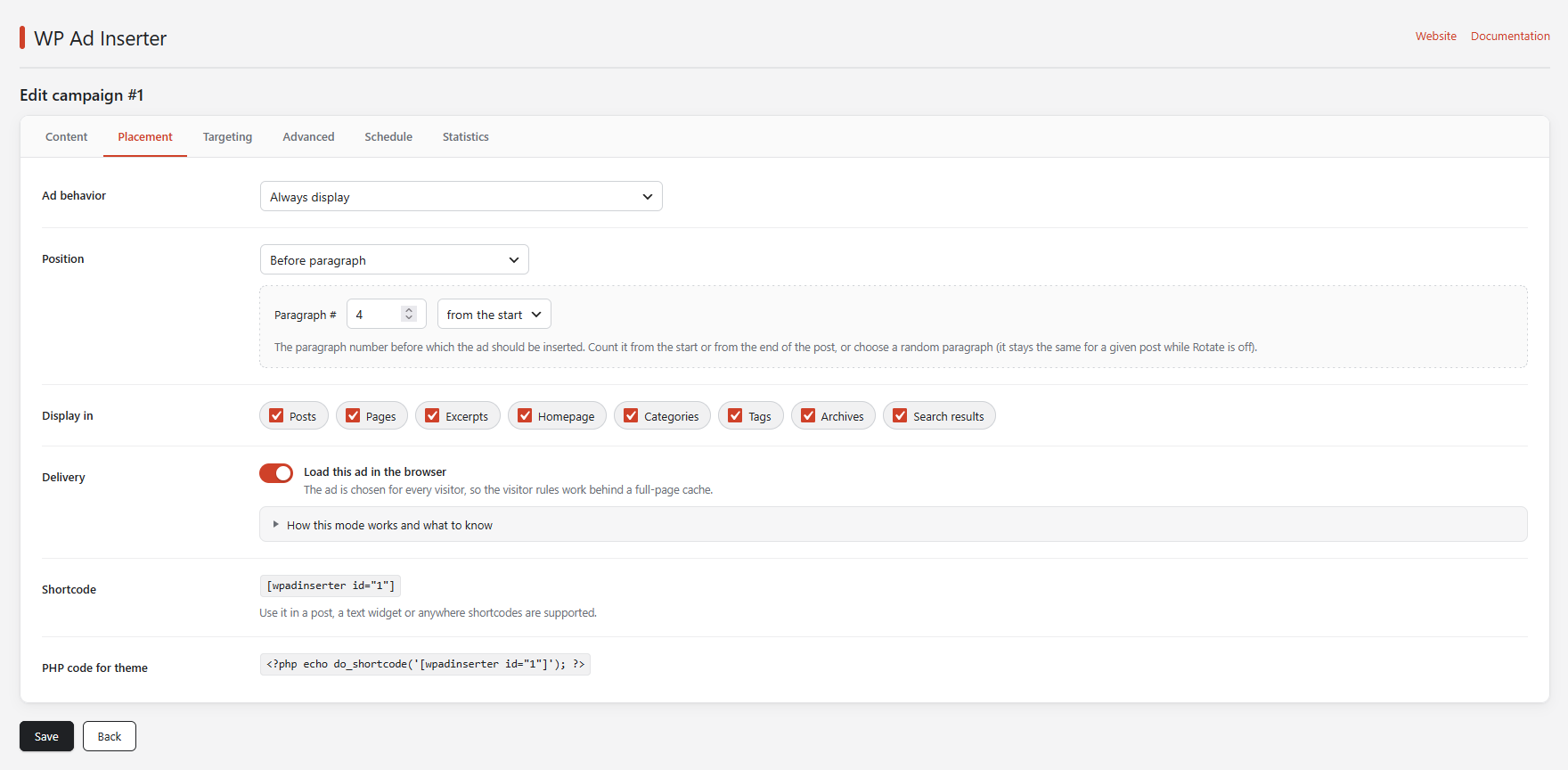
Overview
| Position | Where the ad goes |
|---|---|
| Manual | Nowhere by itself: you place it with the shortcode or PHP code. |
| Before the Loop / After the Loop | Before or after the list of posts. |
| Before content / After content | Before or after the text of a post or page. |
| Before paragraph / After paragraph | Next to the N-th paragraph. |
| Before heading / After heading | Next to the N-th heading of a chosen level. |
| Before image / After image | Next to the N-th image. |
| Before post | Before the N-th post of a list. |
| Site footer | In the footer of the site. |
| Top of the page | Right after the opening body tag. |
| WooCommerce positions | Around a product, the Add to cart form, the product list, the cart and the checkout. |
| Sticky bar at the top / at the bottom, Popup | Floating blocks with a close button. |
| Before comment form, After comment form, Comment form top, Comment form before fields, Comment form after fields | Five places around the comment form. |
| WP Ad Inserter Widget | In the widget of the same name. |
| Between HTML elements | Between two HTML elements that you describe. |
Manual
The ad is not shown unless you include it yourself. Every campaign shows its shortcode and a PHP line on the Placement tab:
[wpadinserter id="3"]

<?php echo do_shortcode('[wpadinserter id="3"]'); ?>
Put the shortcode into a post, a page or a text widget, and the PHP line into a theme template. Click the code on the Placement tab to copy it.
A shortcode or a widget shows the ad on any page where it is placed. The Display in switches and the ad behavior limit are not checked there, but the targeting rules are.
Before the Loop and After the Loop
The Loop is the part of a theme that prints a list of posts: the homepage, archives, category and tag pages and search results. The ad is printed before or after every such list the theme runs.
Before content and After content
The ad is added before or after the text of the post or page, as WordPress prints it. These and the next positions work on the output of the standard the_content filter, so the theme or page builder has to print content through it.
Paragraph, heading and image positions
These positions count elements in the text of the post: <p> paragraphs, headings (you pick h1 to h6) and <img> images. Enter the number of the element (it starts at 1) and choose where to count it from:
| Choice | Meaning |
|---|---|
| from the start | 2 with After paragraph means “after the second paragraph”. |
| from the end | 1 is the last element, 2 the one before it. |
| a random one | A random element. With Rotate off, the same element is used for a given post. |
Only the text of the post is counted. The paragraphs and images of ads that other campaigns insert into the same post do not shift the numbers.
If the post has fewer elements than the number, the ad is not inserted.
Before post
Inserts the ad before the N-th post of a list, which is how you place ads between posts in the Loop. Post # is the number in the list. It works on the homepage, category, tag, archive and search pages and on pages, according to the Display in switches. Only the main list of the page is counted, not the lists inside widgets.
Site footer
Prints the ad where the theme calls wp_footer(), which is the end of the page.
Top of the page
Prints the ad where the theme calls wp_body_open(), right after the opening <body> tag. Almost every current theme calls it.
WooCommerce positions
These positions use the hooks of WooCommerce, so they work only when WooCommerce is active, and the theme must not remove the hooks.
- Before the product / After the product
- Above or below a single product page.
- Before Add to cart / After Add to cart
- Above or below the Add to cart form of a product.
- Before the product list / After the product list
- Above or below the products on the shop, category and tag pages.
- Before the cart
- Above the cart.
- Before the checkout form
- Above the checkout form.
To show an ad only for products, add the post type product to the Post types rule on the Targeting tab.
Sticky bars and popups
The ad floats above the page and has a close button.
- Sticky bar at the top / at the bottom
- A bar across the screen that stays in place while the visitor scrolls.
- Popup
- A window in the middle of the screen over a dimmed page. It also closes with Esc or a click outside of it.
Two settings appear under the position: Show after (seconds, 0 shows it at once) and After it is closed, do not show it again for (hours, 0 shows it on every page). The browser remembers the closing in its local storage.
The ad is counted as an impression only when it is shown. An ad that is chosen in the browser (“Load this ad in the browser”) is shown only if there is an ad for the visitor, so an empty bar never appears. Many ad networks limit sticky and overlay ads: read their rules before you use these positions.
Comment form positions
- Before comment form
- Above the comment form.
- After comment form
- Below the comment form.
- Comment form top
- At the top of the comment form.
- Comment form before fields
- Before the data fields (name, email, website).
- Comment form after fields
- After the data fields.
WP Ad Inserter Widget
Add the WP Ad Inserter Widget to a sidebar in Appearance → Widgets. It shows every campaign whose position is “WP Ad Inserter Widget”, in the order of the campaign list.
Between HTML elements
The most flexible position. Enter a Start HTML element and an End HTML element. Everything between them, on one line, is replaced with the ad, and the two elements themselves stay. Switch on Use regular expressions to describe the elements with a regular expression.
The match does not cross line breaks. Choose elements that are on the same line in the page’s HTML.