
Quick start
In this walkthrough you show an ad after the second paragraph of every post, to visitors from selected countries only.
1. Create a campaign
Open WP Ad Inserter → Ad campaigns and click New ad campaign.
2. Add the ad code
On the Content tab enter a Campaign name, for example “Sidebar offer”, and paste your ad into Ad code:
<a href="https://example.com/offer" target="_blank" rel="sponsored">
  <img src="https://example.com/banner.jpg" alt="Offer">
</a>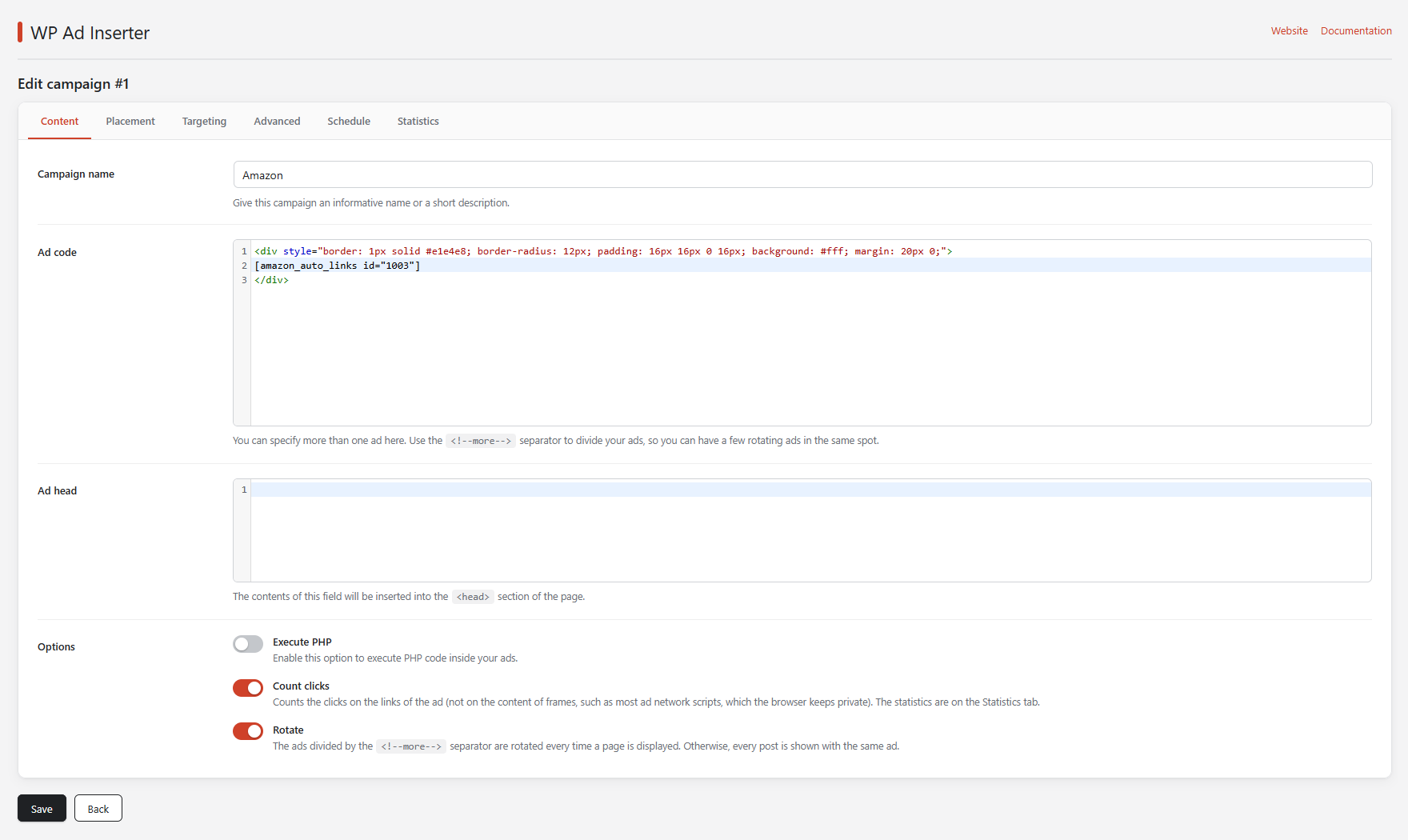
3. Choose the position
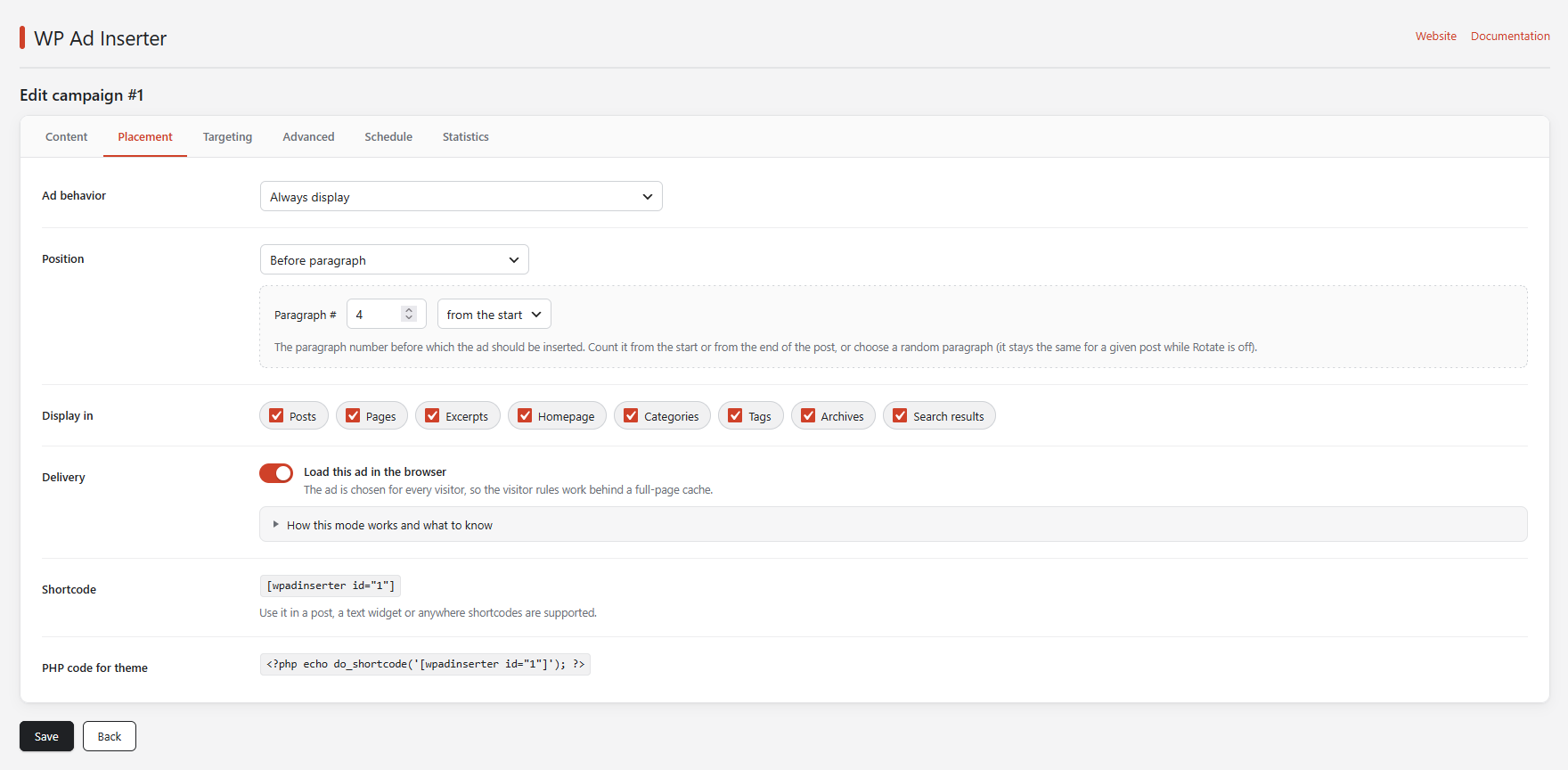
On the Placement tab set Position to After paragraph and enter 2 in Paragraph #. Under Display in keep Posts on and switch off the page types you do not want, such as Homepage and Archives.
4. Choose the audience
On the Targeting tab set ISO country codes to Display for and enter US, CA, GB. Leave the other rules empty to ignore them.
5. Save and check
Click Save, then open a post. If you are not in one of the listed countries, you will not see the ad. The Your connection card on the Settings page shows the country the plugin detects for you.
To see the ad regardless of your country while testing, temporarily clear ISO country codes.
If your site uses a full-page cache, clear the cache after every change and read Page caching.