
GeoIP and visitor IP
Country, city and time zone rules use a GeoIP database: a file that maps IP addresses to places. The plugin looks the visitor’s IP address up in that file on your own server. Nothing is sent to a third party for a lookup.
The databases
| Database | Used for | Size |
|---|---|---|
| Country | ISO country codes and continents. | About 8 MB. A copy is included in the plugin. |
| City | City names, regions, radius, and the time zone for Weekdays and Showtime ranges. | A download of about 60 MB, about 120 MB on disk. Switch it on with City-level GeoIP database on the Settings page. |
The downloaded files are saved in wp-content/uploads/wpai-geoip/ and used instead of the included one. The plugin checks that a downloaded file is a valid database before it replaces the old one, and can download them again once a week (Autoupdate GeoIP database).
Providers
The Provider setting on the Settings page decides where the databases come from. The Settings page has no Save button: every change is saved at once, and the status line above the cards says “Saved”. When you change the provider, or the MaxMind account ID or license key, the plugin downloads the database from the selected provider straight away and shows the result. If the download fails (for example the key is wrong), the previous database stays in use, and the Settings page says which provider the database in use really comes from.
- DB-IP Lite (default)
- No account and no key. DB-IP publishes new files at the beginning of every month, and the plugin downloads the current month’s file (or the previous month’s one if the new one is not out yet) from
download.db-ip.com. IP Geolocation by DB-IP, licensed under CC BY 4.0. - MaxMind GeoLite2
- Needs a free MaxMind account and a license key. On the Settings page choose this provider, press Create an account, accept the GeoLite2 license, generate a license key in your MaxMind account and enter it with your account ID. The plugin then downloads the files from
download.maxmind.com. The key is stored in your database and is sent only to MaxMind. This product includes GeoLite2 data created by MaxMind, available from https://www.maxmind.com.
The databases differ. For the same IP address two providers, or the same provider in two different years, can name different places, especially for mobile networks, VPNs, proxies and company networks. If you are behind Cloudflare, the country header is usually the best source (see below).
Time zone of the visitor
Weekdays and Showtime ranges use the visitor’s local time. MaxMind’s city database contains the time zone. DB-IP’s does not, so the plugin takes the time zone of the visitor’s country, and for a country with several zones the one nearest to the visitor’s place. Near the borders of two zones this can be wrong by an hour. When the zone cannot be determined, the weekday and hour rules are skipped and the ad is shown.
How the country is found
- If your CDN sends a country header with the request, the plugin uses it. Cloudflare sends
CF-IPCountry. The header name is the option Country header of your CDN on the Settings page (leave it empty to turn this off). The valuesXX(unknown) andT1(Tor) are ignored. - Otherwise the plugin looks the visitor’s IP address up in the GeoIP database on your server.
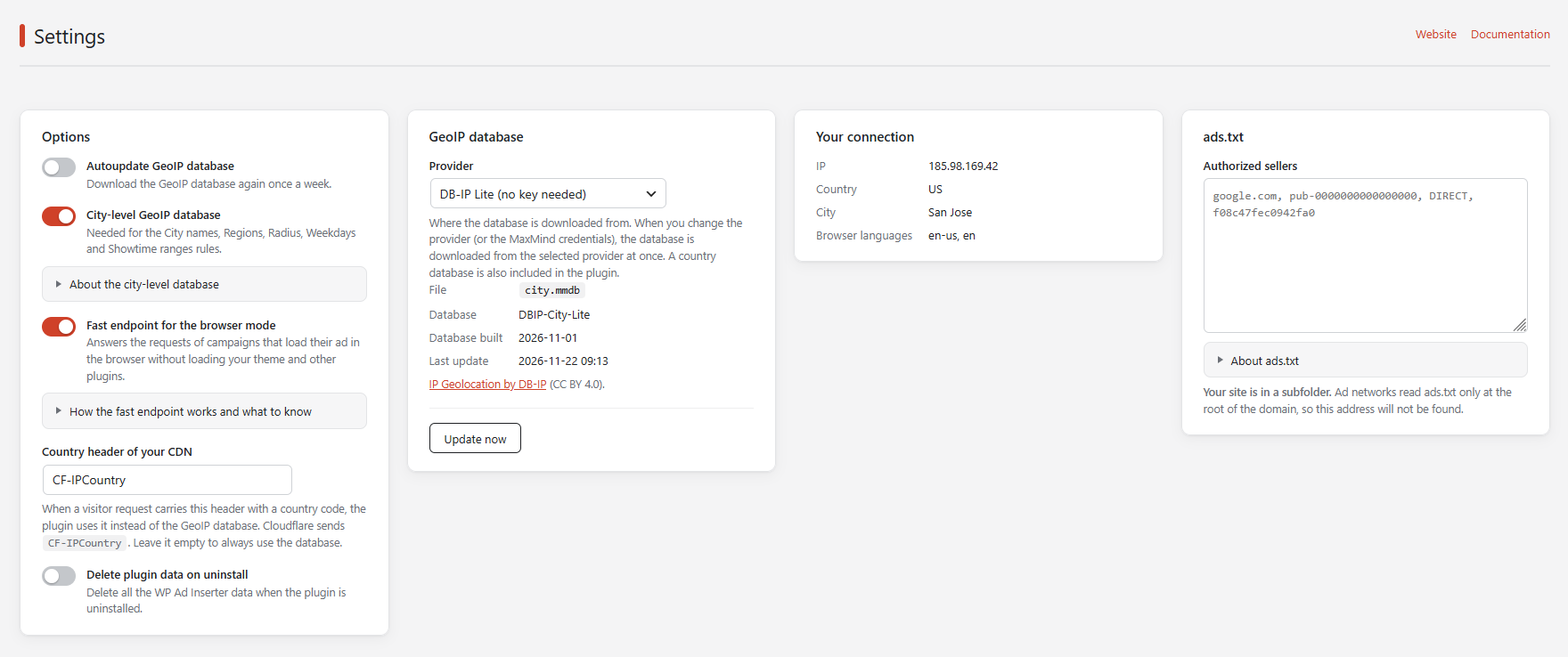
A CDN knows the country better than a database file, which is why the header comes first. The Your connection card on the Settings page shows the country and where it came from. Continents, cities, regions, the radius and the time zone always come from the database.
The Settings page also shows the build date of the database in use and warns when it is more than six months old. The database included in the plugin was built in November 2026. Press Update now for the latest one.
Settings page
- Autoupdate GeoIP database
- Downloads the selected database once a week with WP-Cron.
- City-level GeoIP database
- Switches on the city database. The plugin downloads it as soon as you switch it on. Until it is installed, the country database is used and the city, weekday and hour rules are not applied.
- Fast endpoint for the browser mode
- Answers the ad requests of campaigns that load their ad in the browser without loading your theme and other plugins. See Page caching.
- Delete plugin data on uninstall
- Removes campaigns, settings, counters and the downloaded GeoIP files when the plugin is uninstalled.
- GeoIP database card
- Shows the file in use and the time of the last update. Update now downloads it immediately.
- Your connection
- The IP address, country, city, time zone and browser languages the plugin sees for you. Use it to check that your rules would match.
How the visitor IP is found
The plugin looks at these request headers in this order and uses the first public IP address it finds. The last resort is the address of the connection itself.
CF-Connecting-IP(Cloudflare)X-Real-IPX-Forwarded-For(every address of the list is checked, from the left)Client-IP- The address of the connection
Request headers can be forged by a visitor. This is fine for choosing an ad, but do not use these rules for security.
On a local development server (the address 127.0.0.1 or ::1) the plugin asks api.ipify.org for the public IP address of your connection so that testing is possible. The answer is cached for 12 hours.